

|
Name |
Torque Pro |
|---|---|
|
Google Play Link |
GET IT ON
Google Play
|
|
Category |
Communication |
|
Developer |
Ian Hawkins |
| Last version | 1.12.108 |
|
Updated |
|
|
Compatible with |
Android 4.1+ |
Introduction to Torque Pro APK
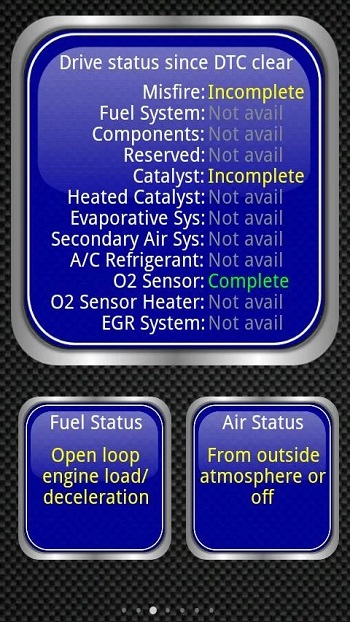
Torque Pro APK is a vehicle diagnostics app for Android. It connects your phone to your car through a Bluetooth OBD2 adapter, then shows live engine data, fault codes, sensor readings, fuel details, and driving performance in one place. It is made for people who want clearer car information without guessing what that warning light means.
The app is mainly used to read OBD2 data from a vehicle’s ECU. You can check engine trouble codes, view sensor values, monitor coolant temperature, track throttle position, measure horsepower, review MPG, and see speed data. This makes it useful before visiting a mechanic, during a road trip, or when checking a used car before buying it.
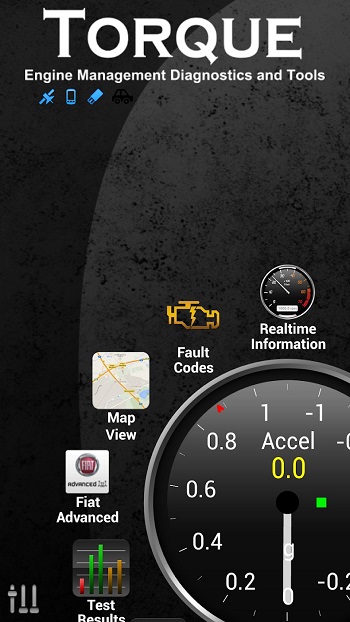
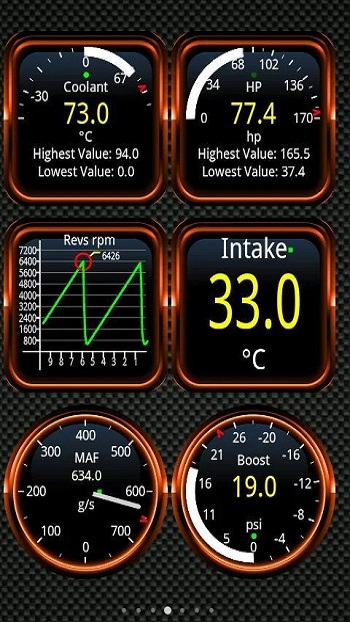
Torque Pro gives users a customizable dashboard with gauges, charts, widgets, themes, and profiles. You can set the screen to show the data you care about most, such as RPM, boost pressure, fuel economy, or transmission temperature if your vehicle supports it. The HUD mode is handy for night driving, and yes, it feels a little like your phone suddenly got promoted to garage assistant.
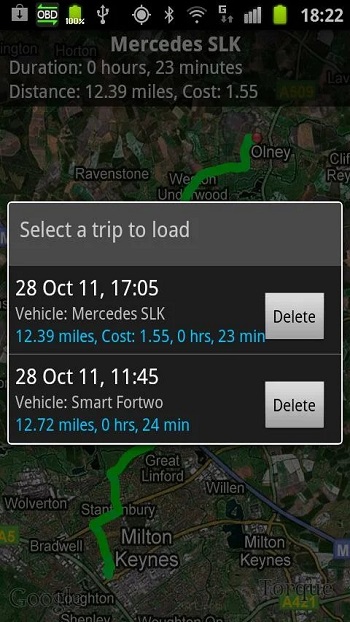
The app also supports GPS tracking and trip logging. It can record routes with engine data, export logs in formats like CSV or KML, and help you review how the car behaved during a drive. With the track recorder plugin, users can create journey videos with OBD data shown on screen, which is useful for testing performance or sharing issues with someone who understands cars.
Its biggest advantage is convenience. Torque Pro helps users spot problems early, understand fault codes, monitor vehicle health, and reduce unnecessary repair costs. It does not replace a trained mechanic, but it gives you better context before asking for help. That alone can save time, stress, and awkward “I have no idea what happened” moments at the repair shop.
There are some limits to know. Torque Pro needs a compatible Bluetooth OBD2 adapter, and cheap adapters may give unstable results. Vehicle support also depends on the ECU, so some cars show more data than others. Certain features, such as transmission temperature, turbo boost, and advanced sensors, may not appear on every model.
Torque Pro is suitable for everyday drivers, car hobbyists, used-car buyers, DIY repair users, and mechanics who want quick mobile access to OBD2 information. It is most useful when checking warning lights, tracking performance, monitoring long drives, testing repairs, or keeping an eye on car health without carrying a full scan tool.
FAQs Torque Pro
What is Torque Pro used for?
+
Torque Pro is used to read OBD2 fault codes, monitor live engine data, track driving performance, log trips, and help users understand vehicle issues through an Android phone.
Does Torque Pro need an OBD2 adapter?
+
Yes. Torque Pro needs a compatible Bluetooth OBD2 adapter plugged into the car’s diagnostic port so the app can read data from the vehicle’s ECU.
Can Torque Pro reset check engine light codes?
+
Torque Pro can read and clear many DTC or check engine light codes, but results depend on the vehicle, adapter quality, and the type of fault stored in the ECU.
What car data can Torque Pro show?
+
Torque Pro can show RPM, speed, coolant temperature, throttle position, fuel economy, horsepower, torque, GPS logs, emissions data, and other sensors supported by the vehicle.
Who should use Torque Pro?
+
Torque Pro is useful for drivers, car owners, DIY repair users, used-car buyers, and mechanics who want quick access to vehicle diagnostics and live performance data.
Discover More Interesting Apps
-

Watch Duty (Wildfire)
v2026.10.29
43.72 Mb
Updated -
Mod
Delta Chat
v2.67.0
66.96 Mb
Updated -
WhatsApp Business
v2.26.43.72
168.74 Mb
Updated -
Zello
v7.20.0
81.81 Mb
Updated -
Messenger
v585.0.0.53.94
153.32 Mb
Updated -
Telegram
v13.1.1
49.42 Mb
Updated -
Brave Browser
v1.98.63
256.98 Mb
Updated -
Mod
Vidogram
v3.3.7
101.54 Mb
Updated -
CallApp
v2.294
63.06 Mb
Updated -
Mod
Stickerly
v3.40.1
119.18 Mb
Updated










Share Your Thoughts